AceProject 4.7 to be released tomorrow night!
Yes, it’s finally ready! AceProject server will be upgraded tomorrow night to version 4.7.
Here are the release notes.
Congratulations to the team for such good work, and I hope you like the new version!

Yes, it’s finally ready! AceProject server will be upgraded tomorrow night to version 4.7.
Here are the release notes.
Congratulations to the team for such good work, and I hope you like the new version!
We are back from Webcom 2009 and Quebec City’s local PMI chapter meeting. A lot of speeches were heard, a lot of PowerPoint slides were squinted at, and we left both conferences with our heads filled with ideas.
Here my favorite quotes from Webcom 2009:
“Software is not about making money. Software is about changing lives. Giving people something they could never do before.” – Marc Canter, Broadband Mechanics
“At the end of the day, marketing is selling.” – Darren Guanarcia, Sitecore
“Ergonomy = utility + usability” – Anastasia Simitsis, w.illi.am
“Authentication is not identification.” – Charles Nouyrit, MyID.is
“Facebook is a CRM for people. The days of the anonymous web is over. People expect more.” – Clara Shih, Salesforce
“The individual is the heart of the Web of the future.” – Sébastien Forest, Canoe
“Open is the new green.” – Sylvain Carle, Praized
We’ll be attending Webcom 2009 in Montreal on Wednesday. It’s refreshing to see an event with such interesting speakers close to home (Websystems is located in Quebec City).
An event like WebCom is a great source of inspiration. It’s a way to look at the world through other people’s eyes.
Here are the conferences I’m looking forward to attending:
If you’ll be in attendance, drop us a line and we’ll meet up in between conferences! info@aceproject.com
Development is going well for AceProject 4.7. We are finishing phase 2 of development.
Eye candy
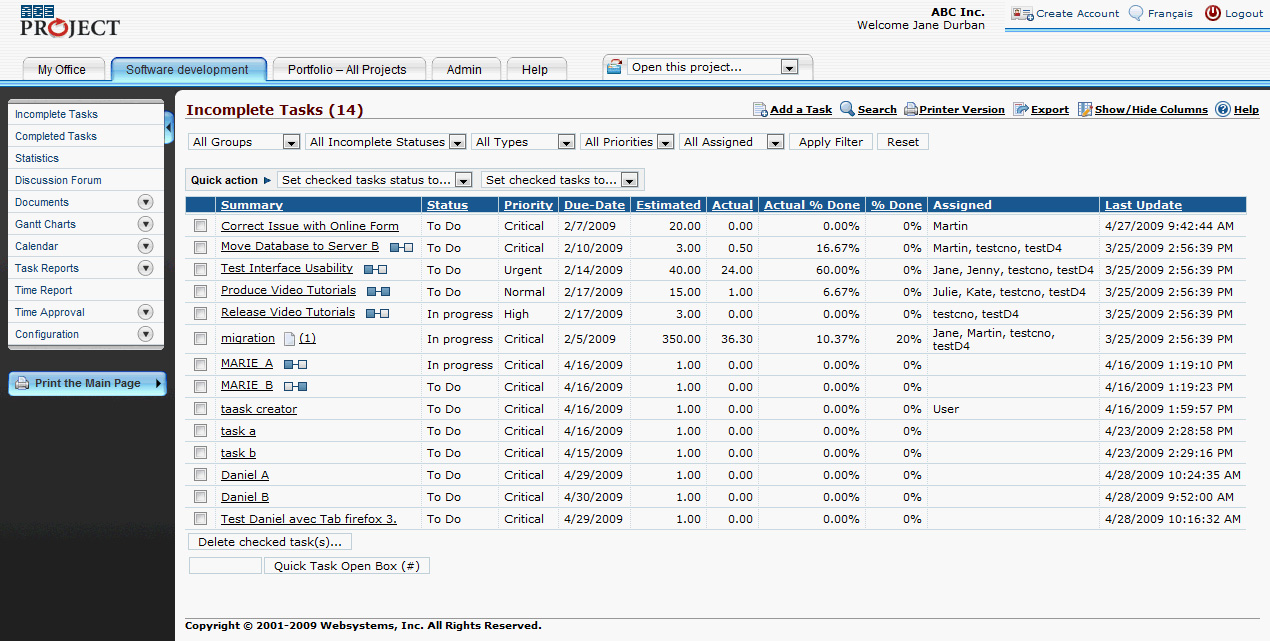
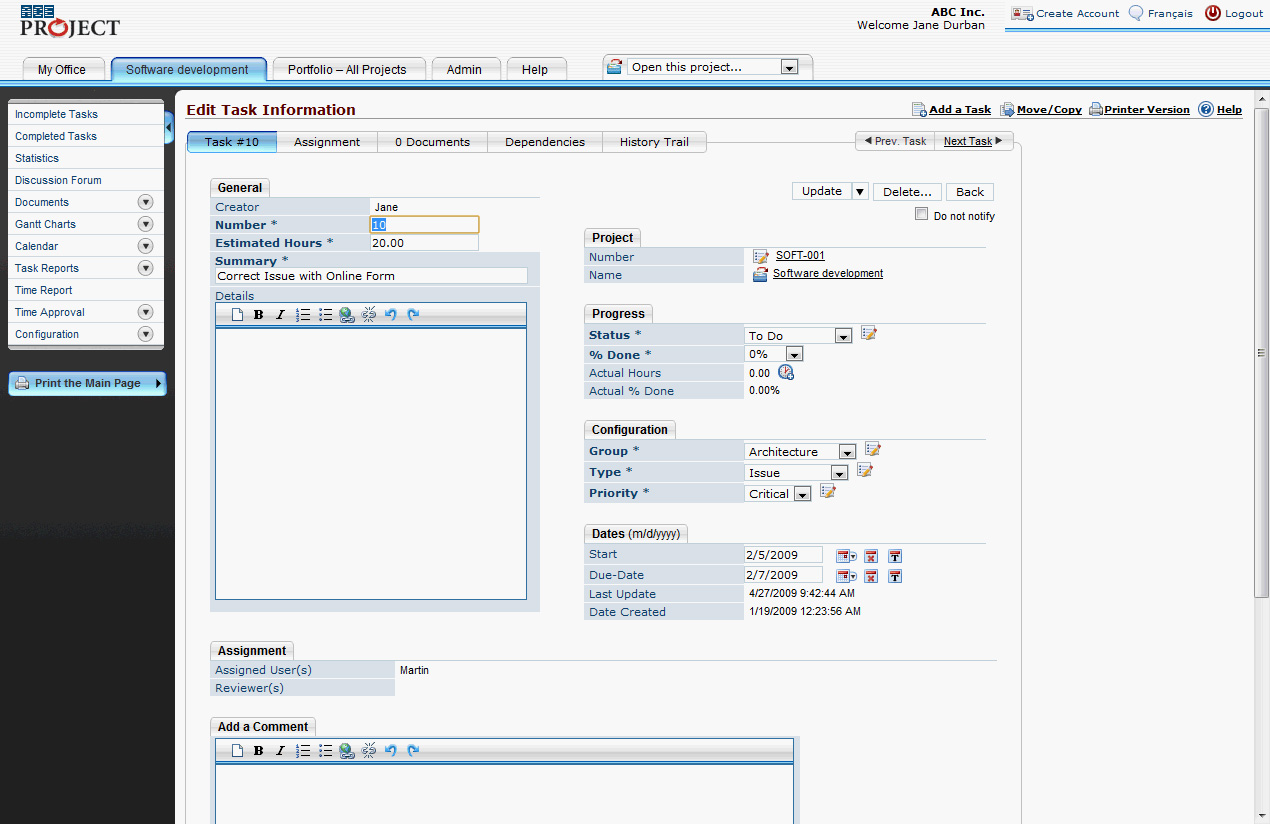
Here is some eye candy for mac users: a brand new skin!
Project templates
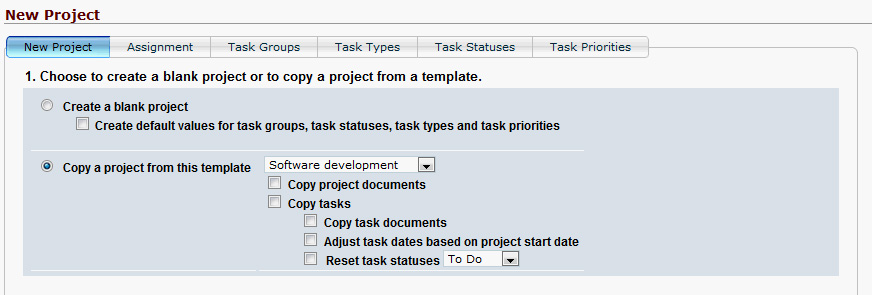
People love AceProject’s templates because it makes creating new project very easy. You simply copy an existing project, and you can even adjust task dates based on the new project start date.
With AceProject 4.7, we’ve added the possibility to reset task statuses, so you don’t need to create pure templates if you don’t want to:
Better time sheets
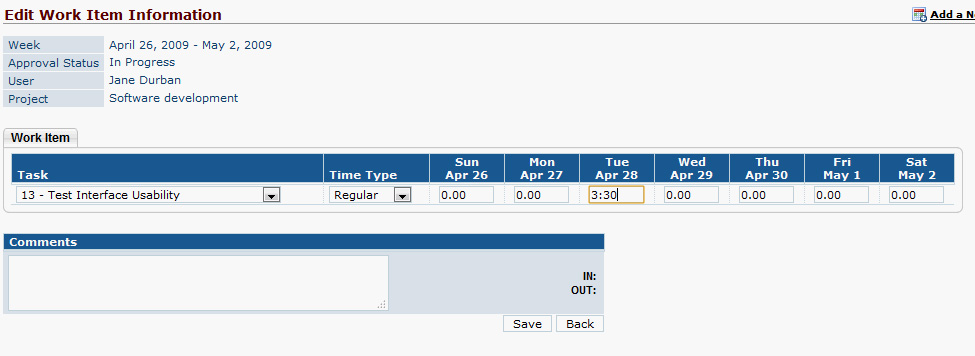
Time sheets are one of the most-used features in AceProject. With version 4.7, AceProject will automatically create time sheets at the beginning of each week.
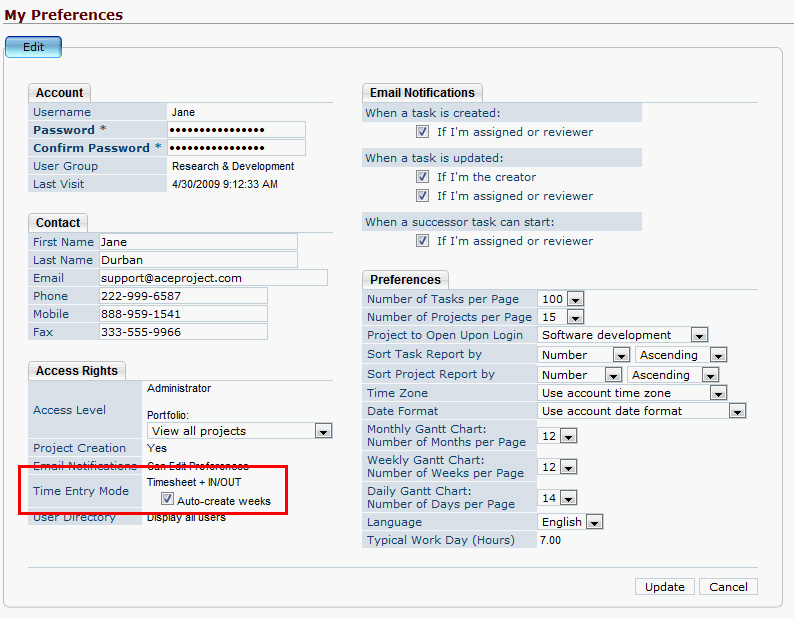
To make it easier to fill out the time sheets, it will be possible to enter time worked in the hours:minutes format. AceProject will convert the hh:mm entry into a decimal number automatically. That will make time sheet more usable.

With AceProject’s new version, we’ve been working on making it more usable. There were the big features, like task dependencies and the Portfolio tab, and there were the smaller features, like the user workload report.
And finally, there’s Aceproject’s look and feel. MIchel, our graphic designer, had been asking to redo our icon set for a long time. With AceProject 4.7, he took on the challenge. And it was quite a challenge. There are over 100 icons in AceProject. We started with a good set of icons, and then, with time, as we added more and more features, we started loosing consistency in our icons.
Michel started by building a list of all the icons in the system, and then he created “icon concepts” like adding something, and “icon basics” like representations of tasks, projects, and users. He then put together the basics with the concepts, and the icons were born. Adding a task is the task icon with the + , just like creating an account is the account icon with […]
It used to be only administrators and users with limited-administration rights could see multi-project Gantt charts.
This created a situation where both administrators and project managers were seeing information that was not for them: Administrators were concerned with creating users and account settings, not Gantt charts and calendars. On the other hand, for project managers to see all their projects in
one calendar or Gantt chart, they had to also see the complete users list, account
configuration, etc.
This was wrong. So we decided to fix it in AceProject 4.7.
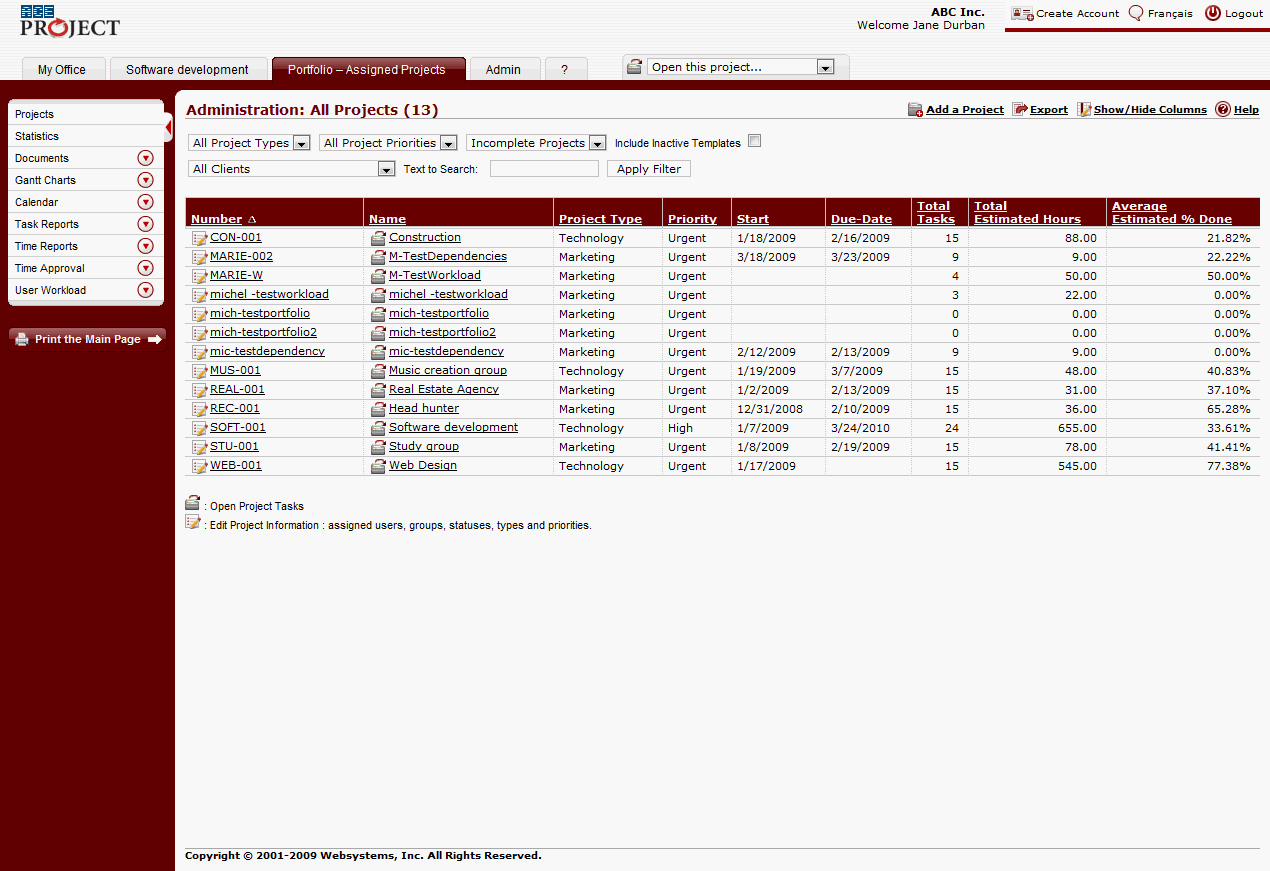
Now, all the project-related information, like reports, calendars and Gantt charts, is in the Portfolio tab:
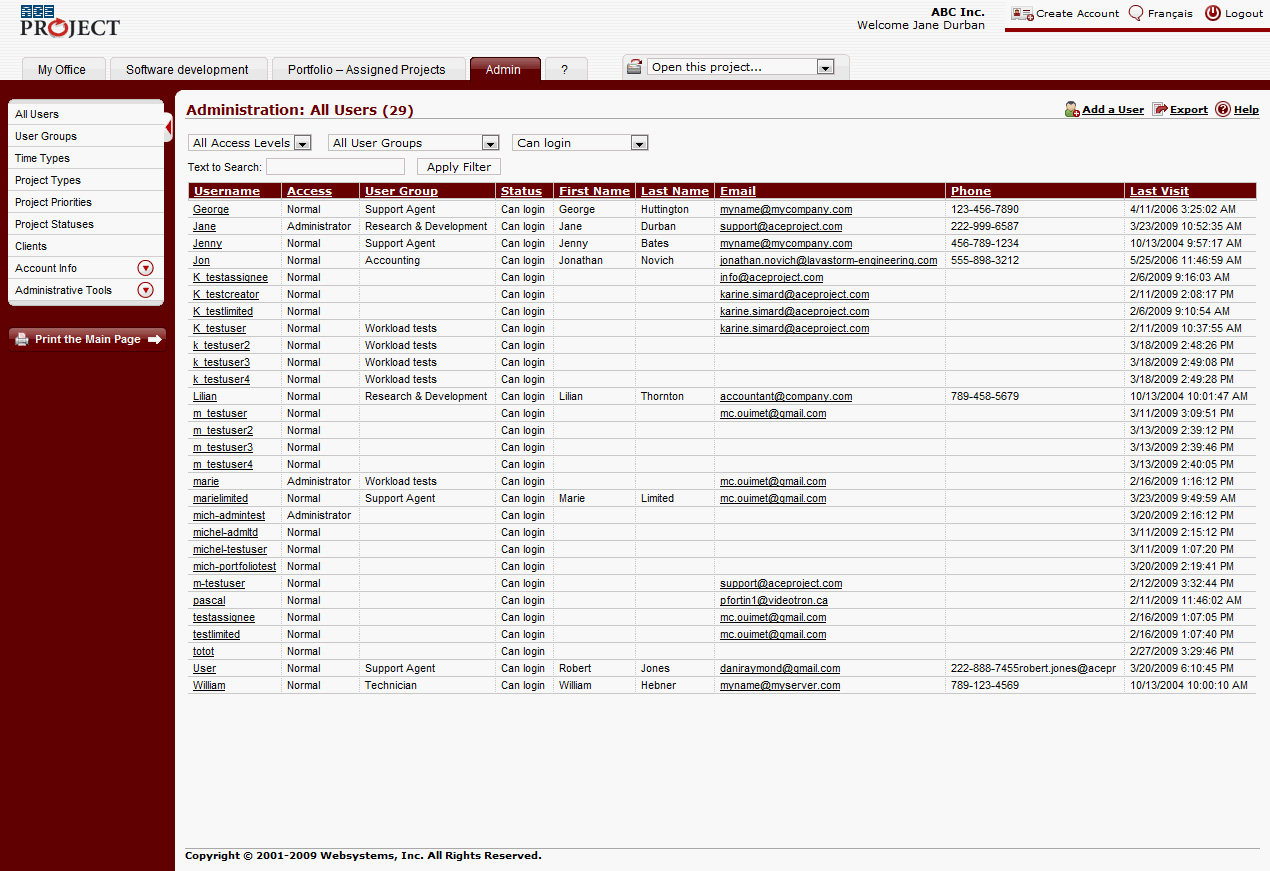
The Admin tab will contain the account-specific information: users, account settings, clients, and administrative tools:
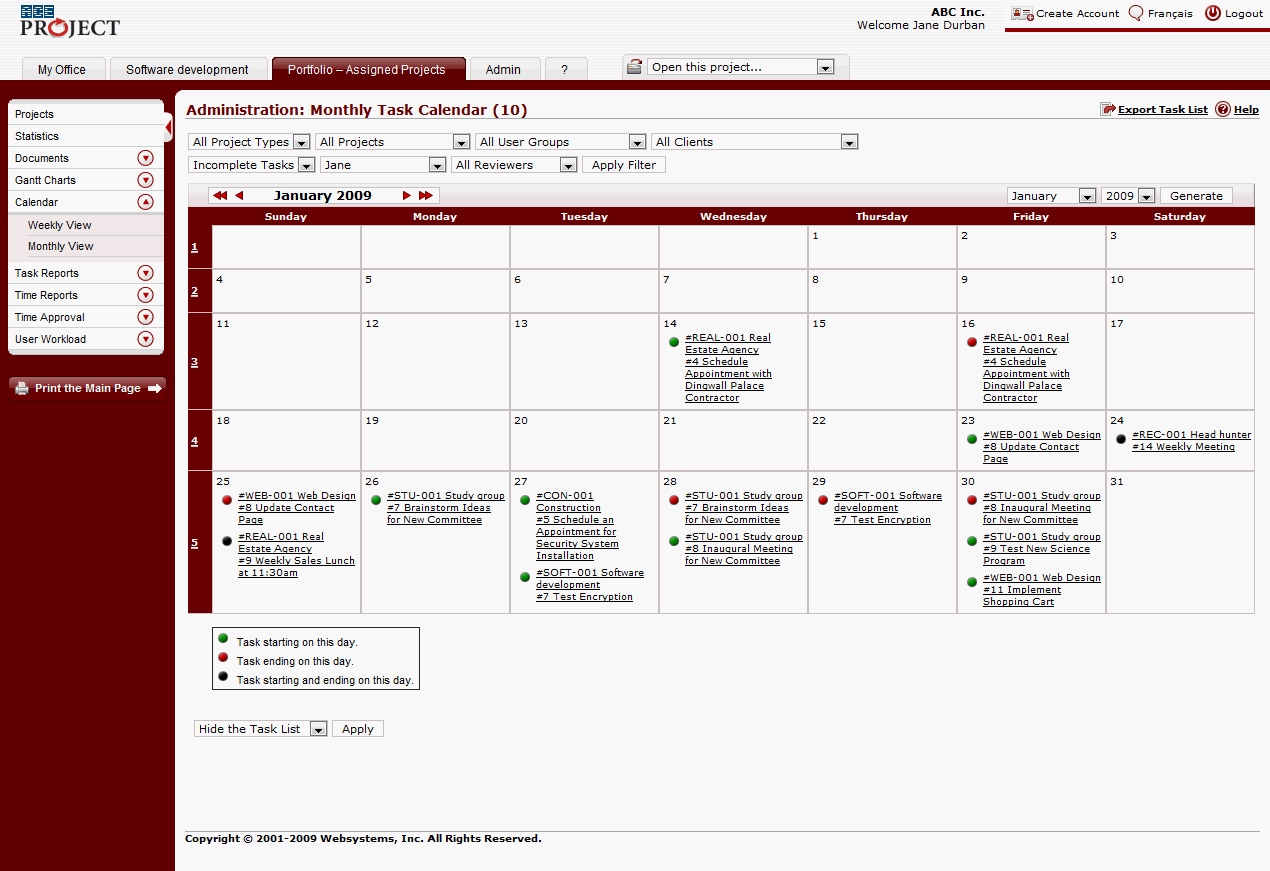
What’s nice about the Portfolio tab is that anyone can have it: project managers, team leaders, team members.
This way, everyone can see their cross-project calendar:
It becomes easy to look for a document across all your […]
We’re working on the second development phase for AceProject 4.7. There will be three phases in AceProject’s 4.7’s development cycle.
In phase 1, we modified task dependencies.
In phase 2, we tackle how user workload is managed in AceProject. We found that the User Workload report was hard to read. It was difficult to assign several people to do the same task, and yet count their assigned hours efficiently. Here’s what we did:
In AceProject 4.7, you’ll be able to set a typical workday length, in hours. This is useful to avoid setting the same work day length for all your users.
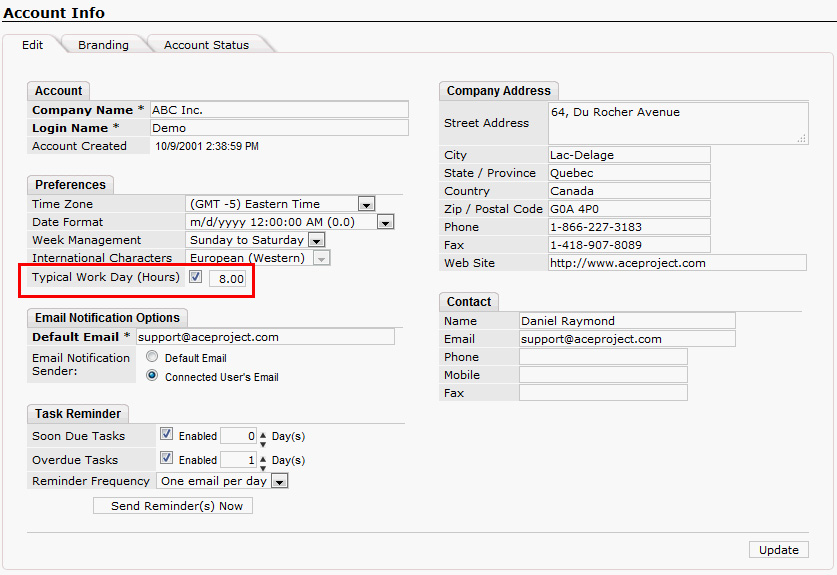
Once you’ve set a default for the account, you’ll be able to enable that feature for your users. Moreover, you’ll be able to set different work days for users that don’t follow the main schedule. For example, if someone on your team only works half-days, you’ll be able to set it up accordingly.
We’ve started testing phase 1 of AceProject 4.7 last week. So far, we’re really impressed with Pascal’s work. Not only is the software working as expected, but there are very few bugs to fix.
Phase 1 was mostly focused on improving task dependencies. Most AceProject users will tell you task dependencies are very rigid in AceProject. We use only hard logic: the predecessor task must be completed before its successor can start. Dates are mandatory. It makes it difficult to use task dependencies efficiently in the current system.
In AceProject 4.7, we introduce non-mandatory task dependencies. For dependency chains that can accept flexibility and overlap between tasks, you’ll be able to start a task even if its predecessor is not completed.
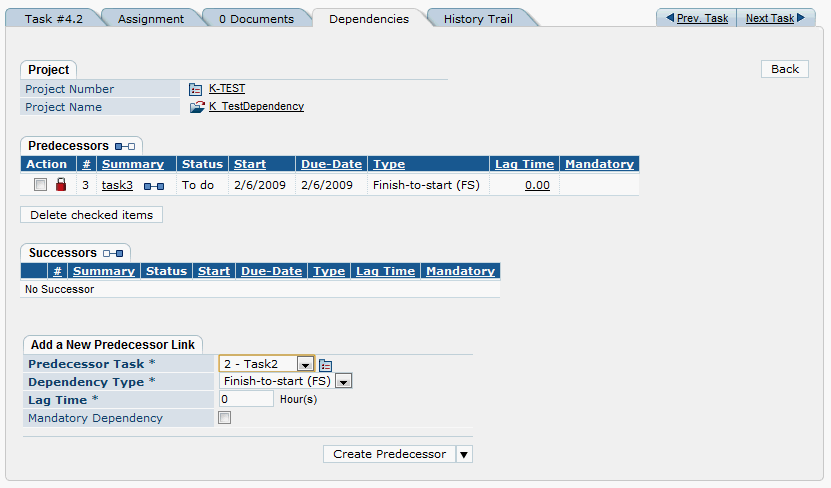 (Click to enlarge)
Even better: if your task doesn’t have dates or has incompatible dates with the predecessor, AceProject will propose some dates to you in a pop-up, so you don’t need to remember when the previous task ended.
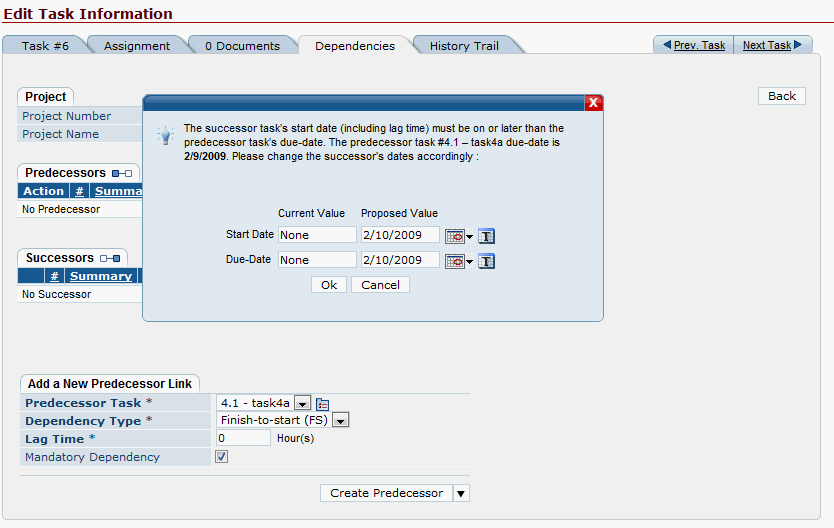 (Click to enlarge)
We are […]
The results from the survey are in. It was our first-ever survey here at Websystems. Here’s a summary:
Which feature do you use most?
Which feature do you like the most?
Which feature do you like the least?
What’s interesting is that then time sheet module, email notifications and task management are present in all three answers. It seems time sheets and email notifications are either loved or hated. Among the comments we received, being able to edit the time sheet for the whole week (like a grid) and being able to customize how email notifications work were the most frequent.
However, people told us they loved to receive those email notifications. We were also told that time sheets are very easy to use.
Overall, what you told us is that you think our reports and our task creation workflow should be a lot better.
We hear you. Your comments were very insightful and we will make sure to keep the good stuff and […]
This week we sent a survey to all our AceProject account administrators. Since we are planning a complete rebuild of AceProject, we wanted to make sure to keep what people liked, and to fix the things that people didn’t like.
The responses were great! You left us very detailed answers, which gives us much greater insight into what you guys are doing with AceProject.
Pie charts, everyone!
Here are preliminary results analysis. We hope to get everything processed next week. Since we had open-ended questions, we need to read everything and group similar answers together.
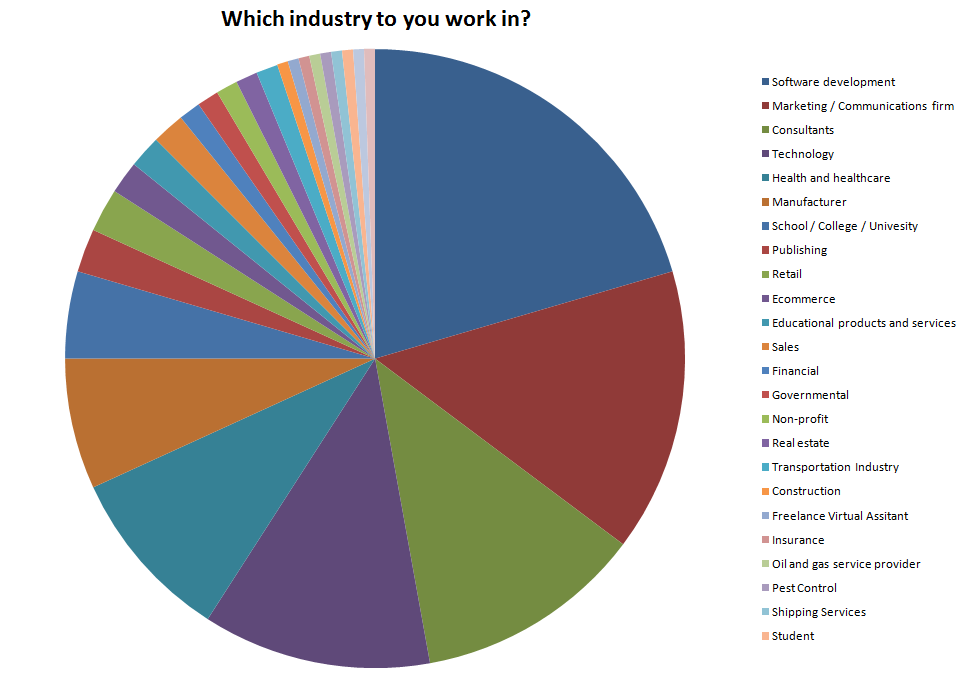 (click to enlarge)
It was interesting to see who is using AceProject. While we weren’t surprised to see software developers, marketers and consultants in such high numbers, we realized we were popular in the education and publishing fields. It was also interesting to see how much variety there was amongst the responses.
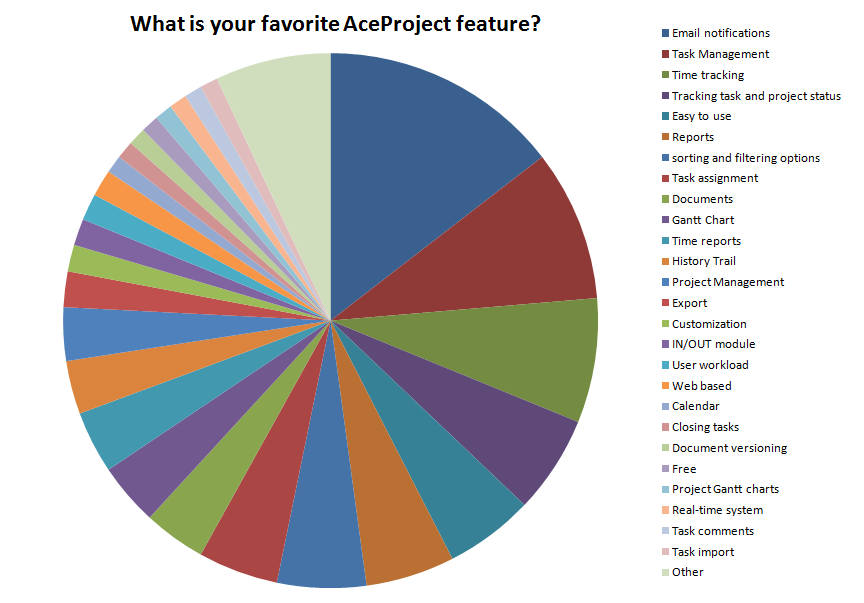 (click to enlarge)
Looking at the responses for the favorite AceProject feature, the top 50% includes email notifications, task management, time sheets, status tracking and ease […]